As we know, most video file can not be played on DVD directly. Thus generally, we can not enjoy videos at home together with our families. However, if you have a Leawo Video Converter for Mac, the situation will be changed, as it can be used as a free mac video to DVD converter to convert all videos to DVD compatible VOB and MPEG video file for enjoying and sharing videos with families at home.
Now first, download this Leawo Video Converter for Mac and start to convert video to MPEG for DVD player on Mac OS.
Full Guide
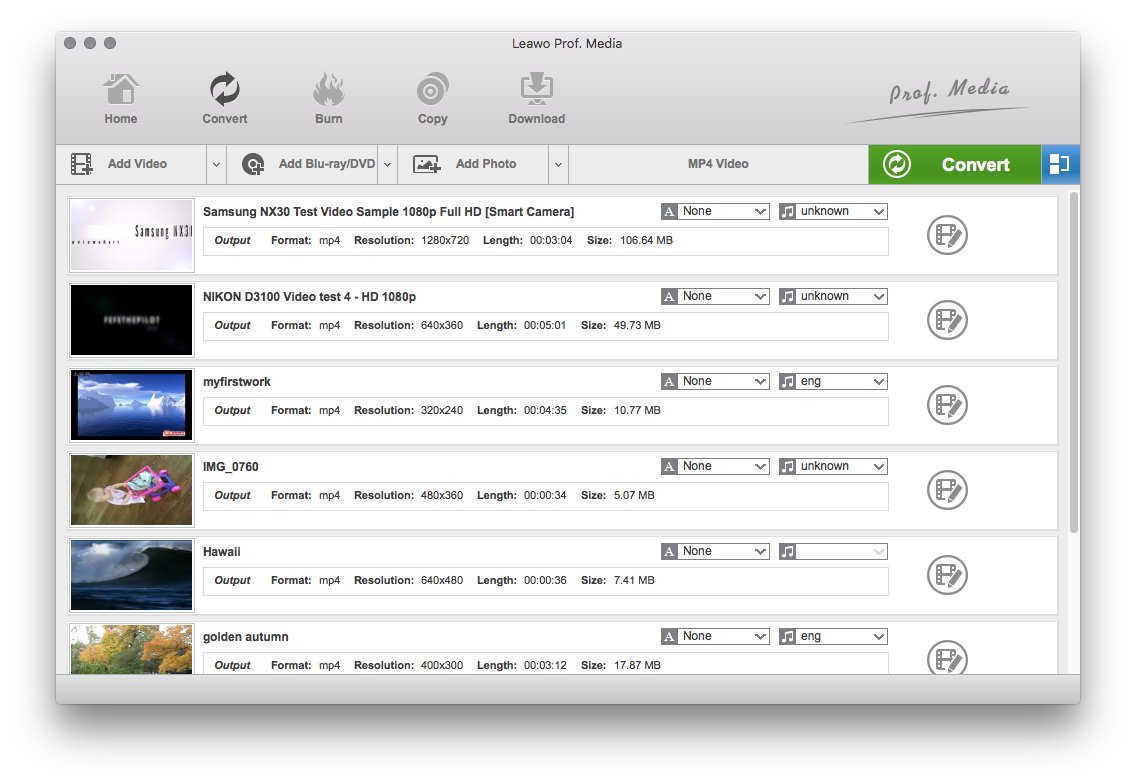
Run program and add video files
Run the program, then click “Add Files”, then click “Add Files” to load videos to the program, then you will see the program main interface.
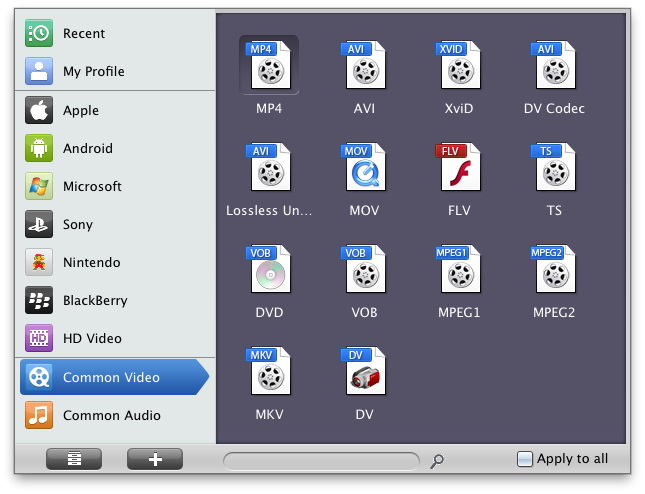
Select output format and make more settings.
Click the drop-down button next to “Profile”, select “MPEG-2 Video (*.mpg or *.vob)” from the output format list as the output format.
If you are in America, Japan, Canada, please select “NTSC” for your output; if you are located in Europe, Korea, you should choose “PAL” for your destination. Besides, you also should choose the profile whose definition is suitable for your DVD player.
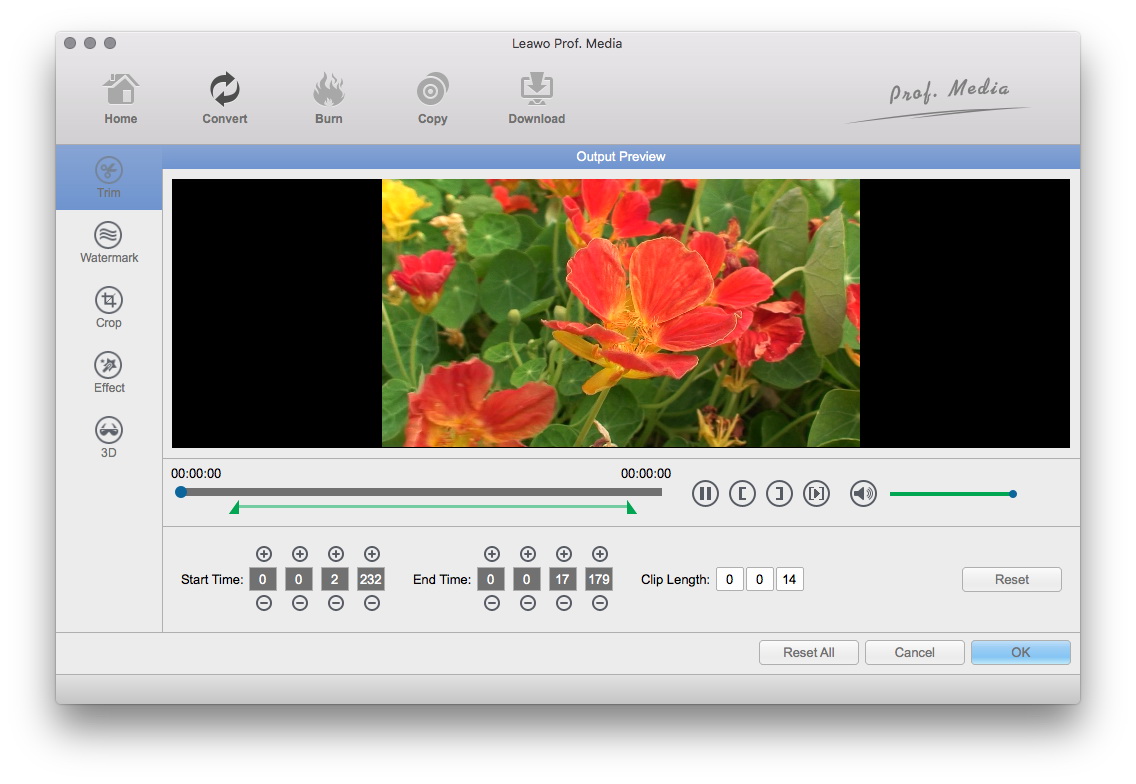
Video effect settings
Click "Edit" button to crop, trim, adjust and watermark video to satisfy your needs.
- Trim: Click "Trim" button. Now trim video duration by setting start time and end time to keep the segment you want.
- Crop: Click "Crop" to crop the video file to extract the black sides or unnecessary segment from the original video file.
- Effect: Click "Effect" button to set video brightness, contrast, and saturation for better output quality.
- Watermark: Check "Enable Watermark", and click "Image Watermark" or "Text Watermark" to add watermark to the video, then adjust the Transparency, Margin, and Watermark Size.
- Besides, you can set detailed parameters: Choose the file and go to "Settings" button at the bottom of the main interface to set detailed parameters for the video as you like. Such as Codec, Video Size, Bit Rate, Aspect Ratio, Frame Rate, etc.
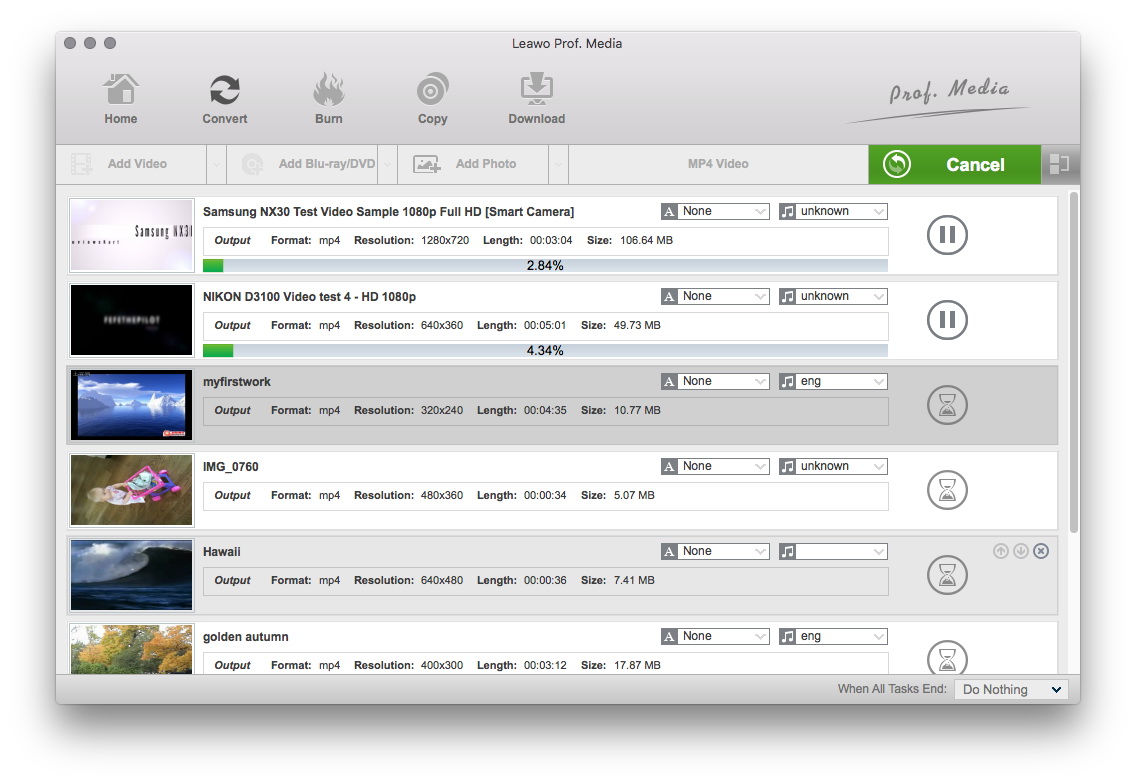
Start to convert
Click “Convert” to convert the videos to DVD compatible VOB or MPEG file. The program can convert 2 videos at a time.
Then, after completed the conversion of videos to VOB or MPEG file, you should find a DVD burner to burn the VOB or MPEG file to the file that compatible for DVD disc and DVD player. Free StarBurn is the best choice.
Ok, then you can enjoy and share any video with your families at home. We provide more specific solutions on how to enjoy and convert videos for Mac OS users.
Extended Knowledge
MPEG stands for the Motion Picture Experts Group, part of the International Organization for Standardization (ISO) and International Electrotechnical Commission (IEC), charged with creating and publishing standards for various areas of technology, respectively. MPEG standards address audio and video formats used online, in television broadcasts, and in DVD media.
