People usually have demands to convert DVD to MPEG. For example, the resolution and bit rate of the video can be diverse after being converted to MPEG format. Leawo DVD Ripper is one of the best DVD to MPEG converters which enables you to convert DVD to MPEG. Moreover, this DVD to MPEG video converter also thoughtfully offers advanced 2D to 3D conversion and some extensive video editing features. You can also deal with the video through extra editing functions like extracting soundtrack, cropping out the black margin, cutting head and tail, etc. Mac users could use Mac DVD Ripper to rip and convert DVD to MPEG on Mac. It is quite easy to convert DVD to MPEG with the steps below.
Full Guide
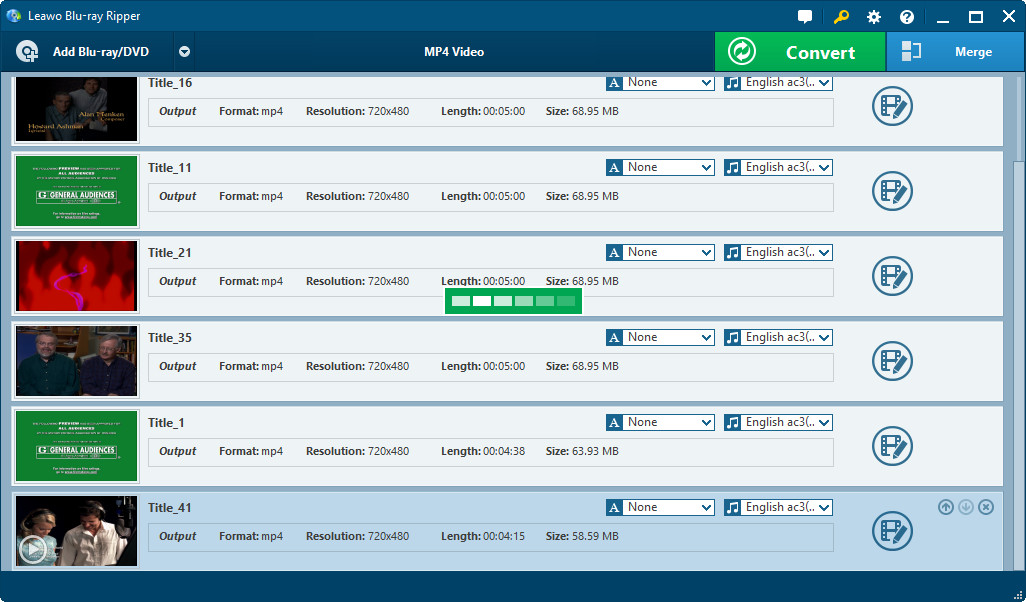
Load DVD resource
Drag-and-drop or hit Load DVD to import source DVD to this DVD to MPEG Converter, either directly load a DVD disc or specify the path from DVD folder. You can select Subtitle, Audio and Angle.
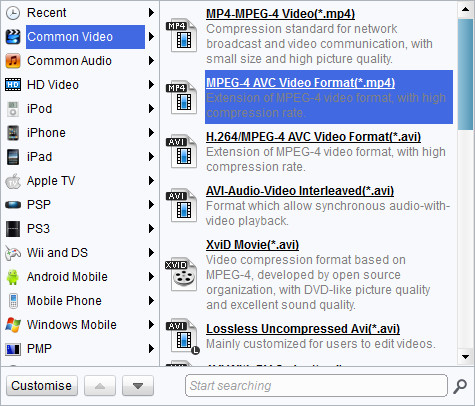
Choose MPEG as output profile
Click Profile frame (Mac users click the icon before 3D) to enter Profile panel and choose MPEG as output profile. Parameters are available for modifications by clicking settings button after Profile (Mac users click "+" button in Profile frame), including: video codec, audio codec, quality, video size, bit rate, frame rate, etc.
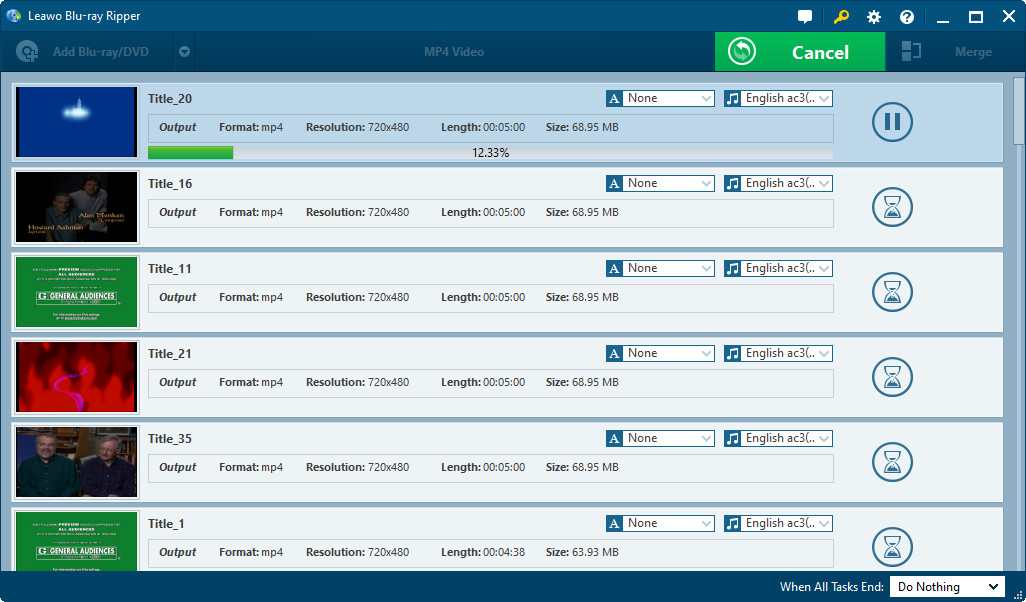
Convert DVD to MPEG
Click the convert button to start DVD to MPEG conversion. When completed, you could watch DVD in MPEG videos on your own devices.
If you want to edit your DVD videos before you convert DVD to MPEG videos, like trimming video length, cropping video size, adjusting video effects or adding watermarks, this DVD to MPEG converter could meet your needs excellently. Check how to edit DVD or how to edit DVD on Mac for details.
Extended Knowledge
The Moving Picture Experts Group (MPEG) is a working group of experts that was formed by ISO and IEC to set standards for audio and video compression and transmission. It was established in 1988 by the initiative of Hiroshi Yasuda (Nippon Telegraph and Telephone) and Leonardo Chiariglione, who has been from the beginning the Chairman of the group. The first MPEG meeting was in May 1988 in Ottawa, Canada. As of late 2005, MPEG has grown to include approximately 350 members per meeting from various industries, universities, and research institutions.
