3G2 video format is the most popular video format for wireless devices like iPhone, iPod, cell phone like Nokia, Moto, etc. Convert DVD to 3G2 is for transferring DVD to video for playing on these devices. Leawo DVD Ripper, acting as a DVD to 3G2 converter as well, is a software program to convert DVD to 3GP, convert DVD to 3G2 for mobile devices. While Leawo DVD Ripper for Mac is a perfect Mac DVD to 3G2 converter for you to rip and convert DVD to 3G2 videos on Mac. What's more, both two versions of Leawo DVD Ripper support to convert 2D to 3D. Thus, you can freely convert 2D DVD to 3D videos for unlimited 3D movie enjoyment.
Full Guide
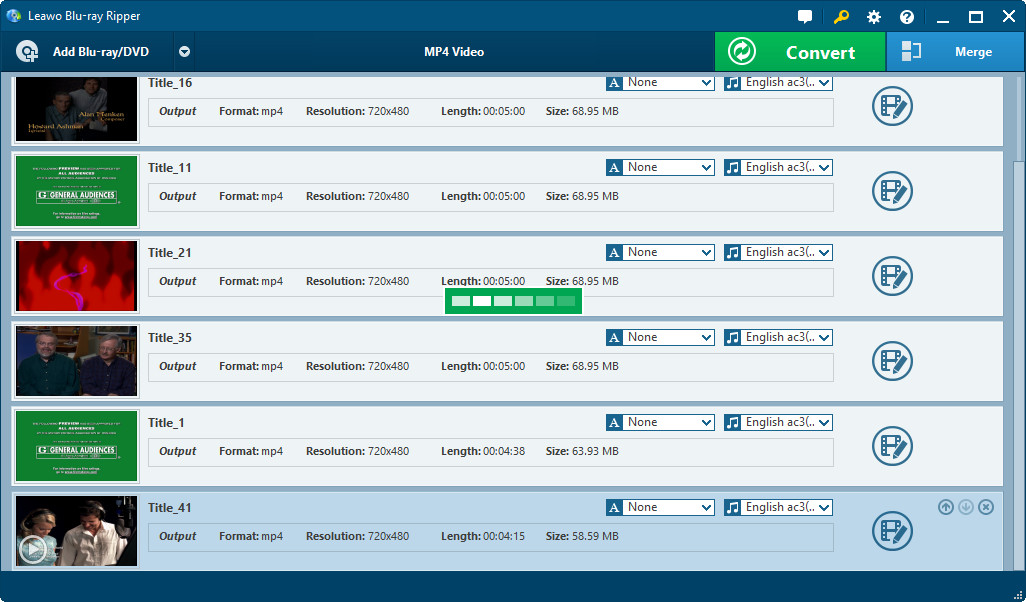
Import DVD movies
Insert the DVD disc into the DVD drive, open the DVD to 3G2 converter and import the DVD files.
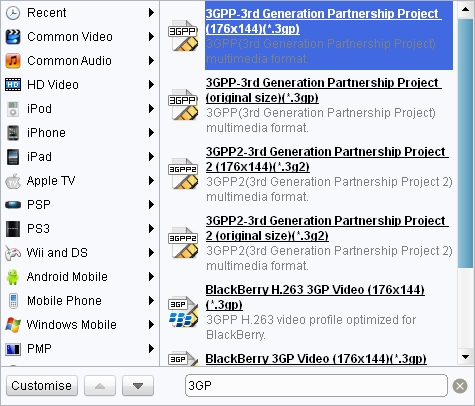
Choose 3G2 as output profile
Choose 3G2 as output in Profile panel (Mac users click the icon before 3D button to enter the Profile panel).
Output 3G2 profile parameters could be changed by clicking settings button behind Profile frame (Mac users click "+" button in Profile panel): codec, video size, quality, bit rate, frame rate, aspect ratio, etc.
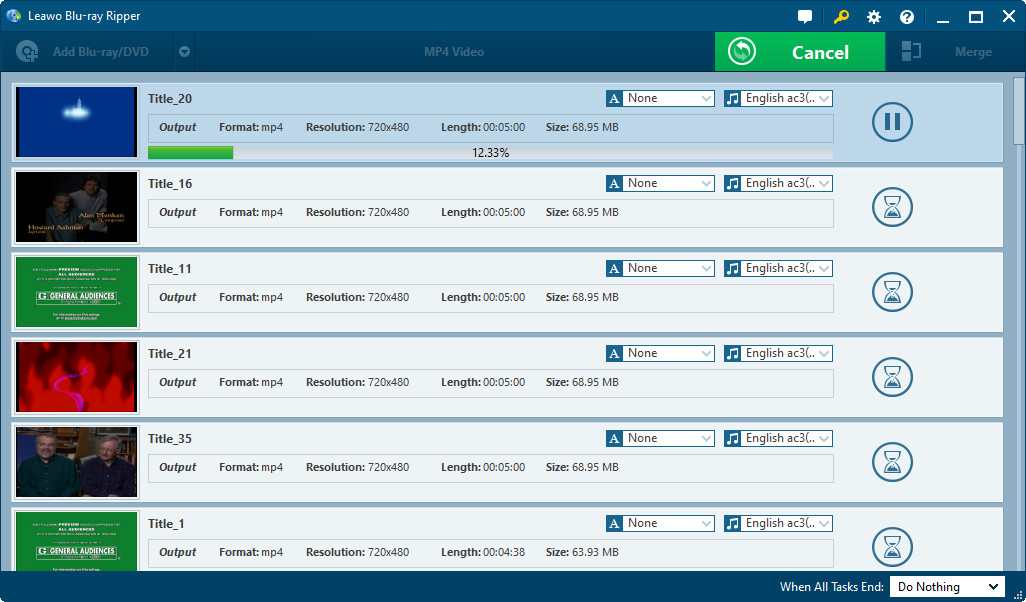
Convert DVD to 3G2 videos
Click the convert button to start to convert DVD to 3G2 videos.
- This DVD ripper could also help you rip and convert DVD to other videos like AVI, MP4, FLV, 3GP, etc. for different devices like iPod, iPhone, iPhone, PSP, etc.
- This DVD to 3G2 converter provides video editing features for you to edit DVD video before you convert DVD to 3G2 or other videos: Trim, Crop, Effect, Watermark, etc. Check how to edit DVD or how to edit DVD on Mac for more information.
Extended Knowledge
3GPP2 (for CDMA-based Phones, may have filename extension .3g2). Defined by the 3rd Generation Partnership Project 2, this standard seeks to provide uniform delivery of rich multimedia over newly evolved, broadband mobile networks (3rd generation networks) to the latest multimedia-enabled wireless devices. 3GPP2 are based on the MPEG-4 standard which was derived from Apple's QuickTime. When transferred to a computer, 3G2 movies can be viewed on Linux, Mac, and Windows platforms with MPlayer and VLC media player. Programs such as Media Player Classic, QuickTime, and GOM Player can also be used.
