Leawo PowerPoint to FLV User Guide
Leawo PowerPoint to FLV is specially designed to convert PowerPoint to flash videos (e.g. *.flv, *.mp4, *.mov, *.3gp, *.3g2) for flexible web usages, so that PowerPoint file can be easily enjoyed on YouTube and flash video player. It can perfectly retain original elements including animations, transitions, music and video clips. With the help of Leawo PowerPoint to FLV converter, share PowerPoint online, email PowerPoint and protect PPT content from plagiarism become easier than ever!

Convert PPT to FLV

Profile Settings

Customization
Convert PPT to FLV
Step 1Import PowerPoint files
Click “Add” icon to add source PowerPoint files to the program. You can add as many PowerPoint files as you want. Select one file to have a preview on the right of the file list.

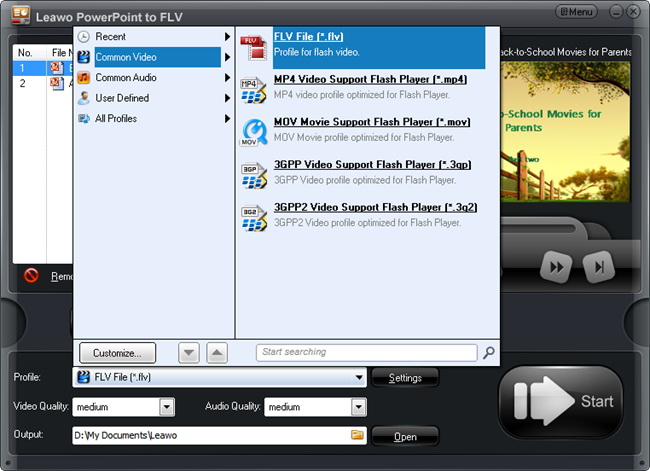
Step 2Choose Output Video Profile
Click on “Profile” frame and choose an output flash video format. In “Output” frame, select a location on your computer you can easily find to save the exported video files.
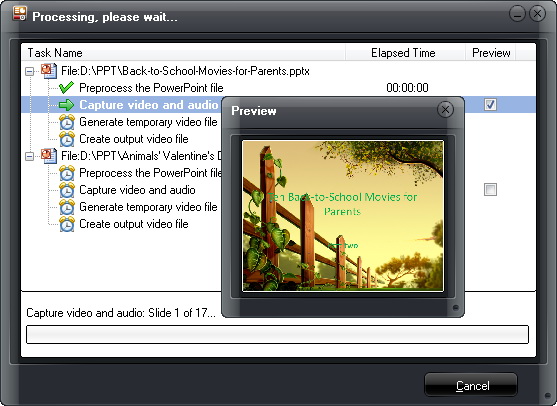
Step 3Start Conversion
Click the “Start” icon to start converting PowerPoint to FLV. You can preview the output video in real time during conversion.
Profile Settings
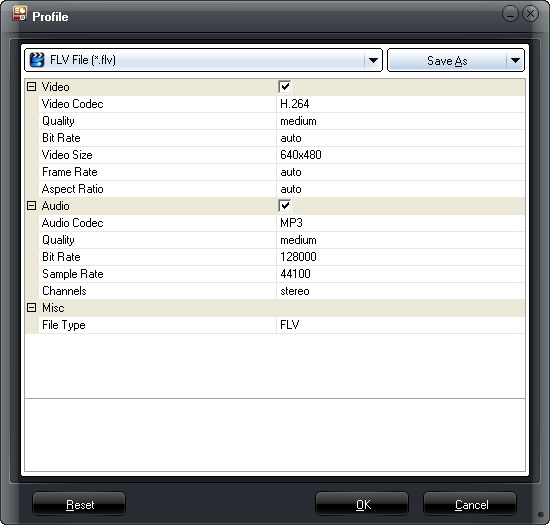
The video and audio parameters like codec, bit rate, video size, aspect ratio, frame rate, channel, etc. are open to edit for you. Click “Settings” to modify as you want and click “Save As” to save your own settings as new video profile for future use.
Customization
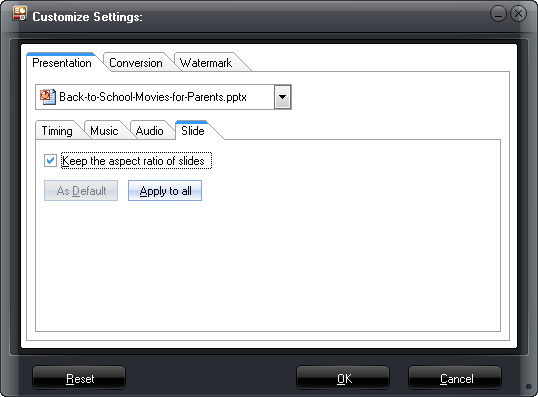
Click “Customize” button to modify conversion settings:
Timing
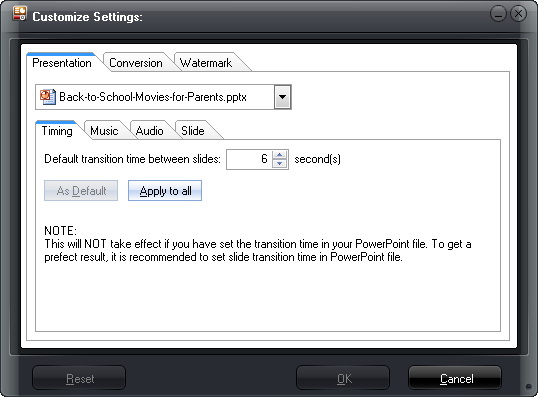
Set transition time between slides, ranging from 0-100 second(s).
Music
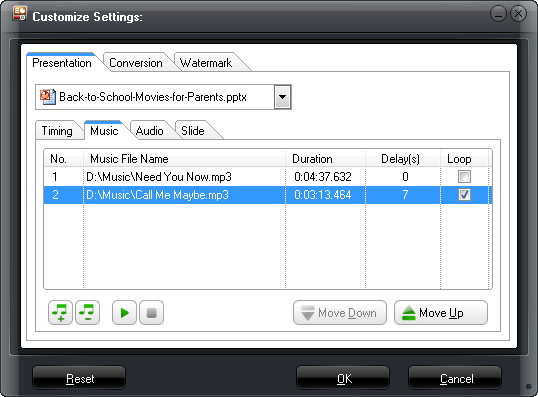
Add songs as PowerPoint background music.
Audio
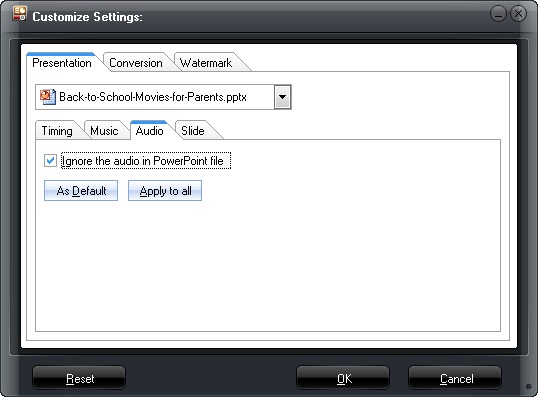
Choose to ignore the audio file from selected PowerPoint presentation or all PowerPoint files.
Slide
Choose to keep the original slide aspect ratio of not. Keep original aspect ratio will cause black margin on output video if the output video size doesn't match.
Conversion
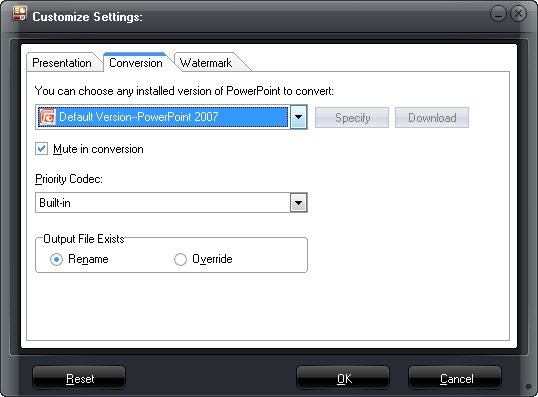
Select default PowerPoint version, choose to mute in conversion and what to do when the same file name exists.
Watermark
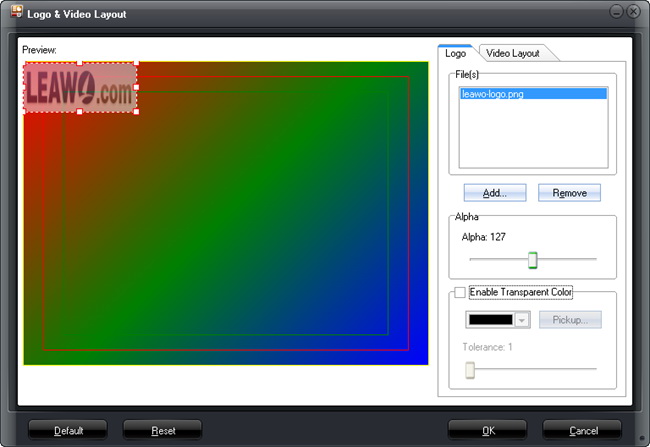
Add your own picture as watermark or logo to the output FLV video.
Video Layout
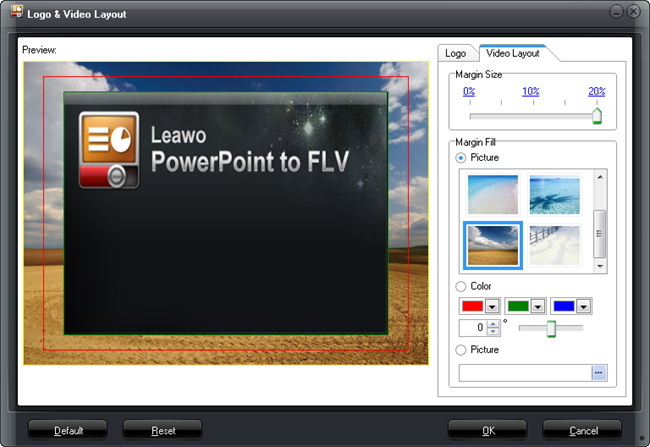
Choose a proper margin size for the output video (0% - 20%) and fill the margin with default templates, pure color or add your own picture.

Users Say
As consumers, I love companies offering solid product guarantees. It proves the company has faith in its product, and is making a solid effort to gain your trust.
-From Donald through our support center
Social Network
Join Our Newsletter: