Leawo Video Converter Ultimate User Guide
Leawo Video Converter Ultimate is a comprehensive media converter suite, which includes five easy media converter software programs: Video Converter, DVD Creator, DVD Copy, DVD Ripper, Photo Slideshow Maker, Photo Slideshow Burner, Audio Converter and YouTube Downloader. Being a 5-in-1 media converter combo, Leawo Video Converter could easily convert DVD/video, create photo slideshows, burn video/photo slideshow to DVD and download online videos easily. Also, this media converter suite provides other useful and user-friendly bonus features, including: video editing features to customize videos, 2D to 3D converting feature to create 3D movies, resetting file parameters, subtitle selecting, video merging, and various DIY features during DVD burning.


Convert DVD/Videos
As media converter suite, this easy media converter software firstly helps people to convert video and DVD to more than 100 formats like MP4, MPG, WMV, 3GP, FLV, M4V, MPEG, MKV, etc. for multiple uses. It could also convert video and DVD for various players, devices and editing software programs, such as iPhone 6, iPad 4, iPad mini, Galaxy S4, HTC 8X, Lumia 920, Windows Movie Maker, etc.
Step 1 : Import source DVD/video
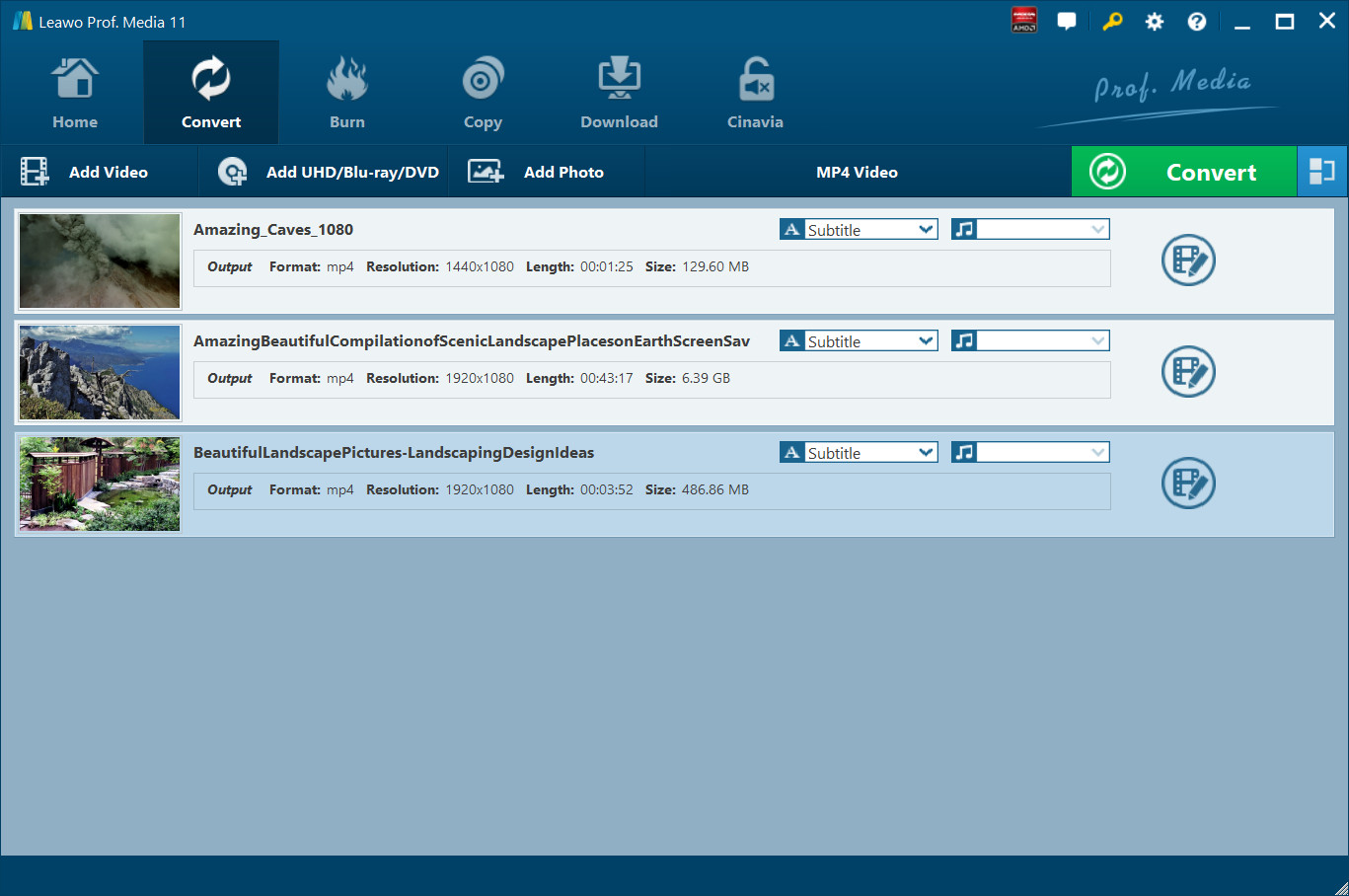
Go to the "Convert" tab, and then click the "Add Video" icon to load source video files, or "Add UHD/Blu-ray/DVD" icon to import source DVD files to this program for processing. You can also choose to directly drag and drop source video/DVD files, or load video/DVD folders for converting. After loading source media files, you can select subtitles and audio tracks, preview source media files, snap screenshots, rename output file, check details, etc.
Step 2 : Choose output profile
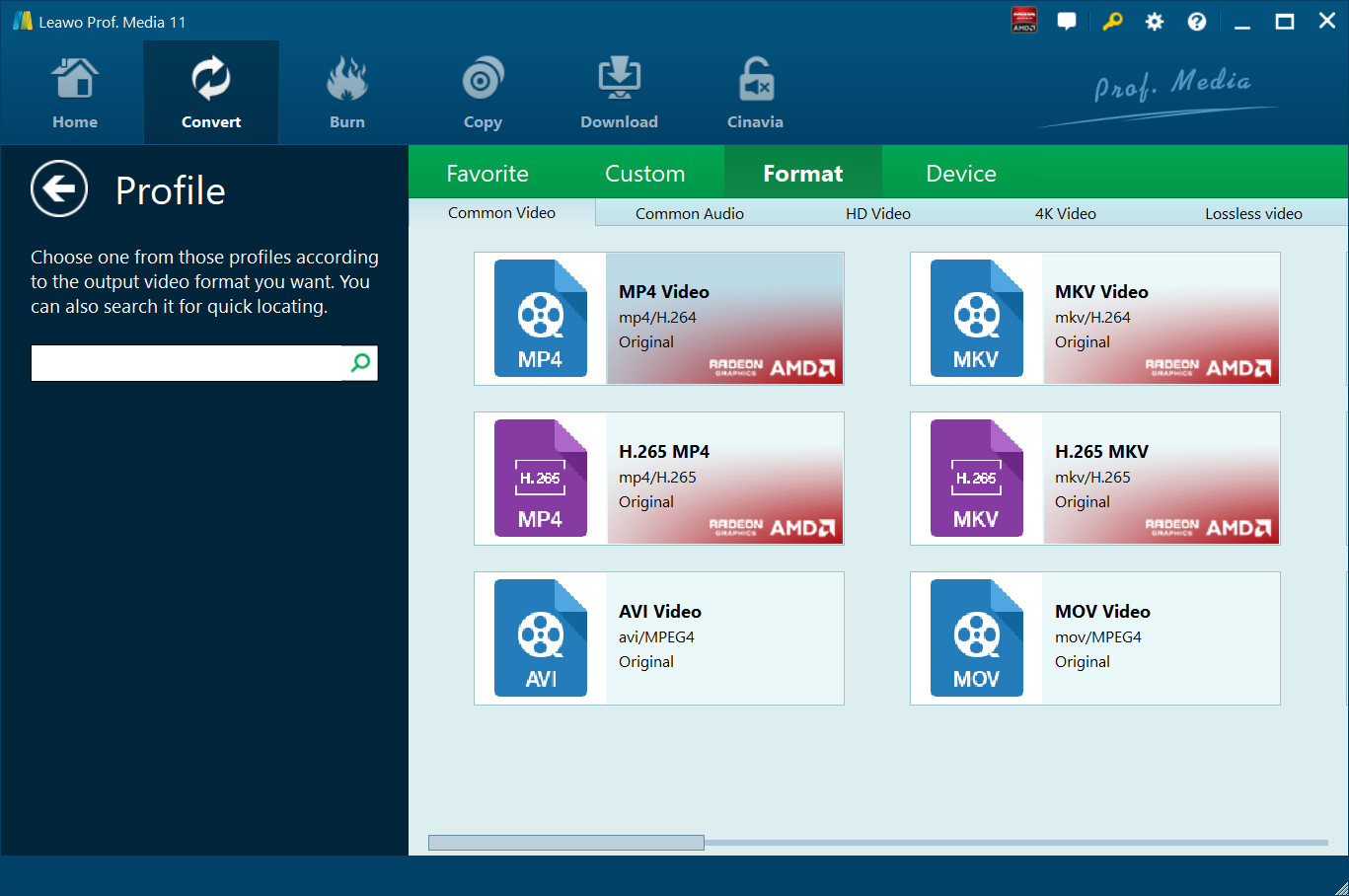
Move the mouse clickable drop-down box next to "Add Photo" icon (showed in "MP4 Video" icon in Step 1 : ) on the sub-menu bar and click it, then select "Change" option to enter the Profile panel, on which you could freely select profiles from "Favorite", "Custom", "Format" and "Device" as output format. When you move mouse to a profile, you could see two tiny icons on the profile: edit and favorite, which mean you could edit selected profile for adding to "Custom" group or add selected profile to "Favorite" group.
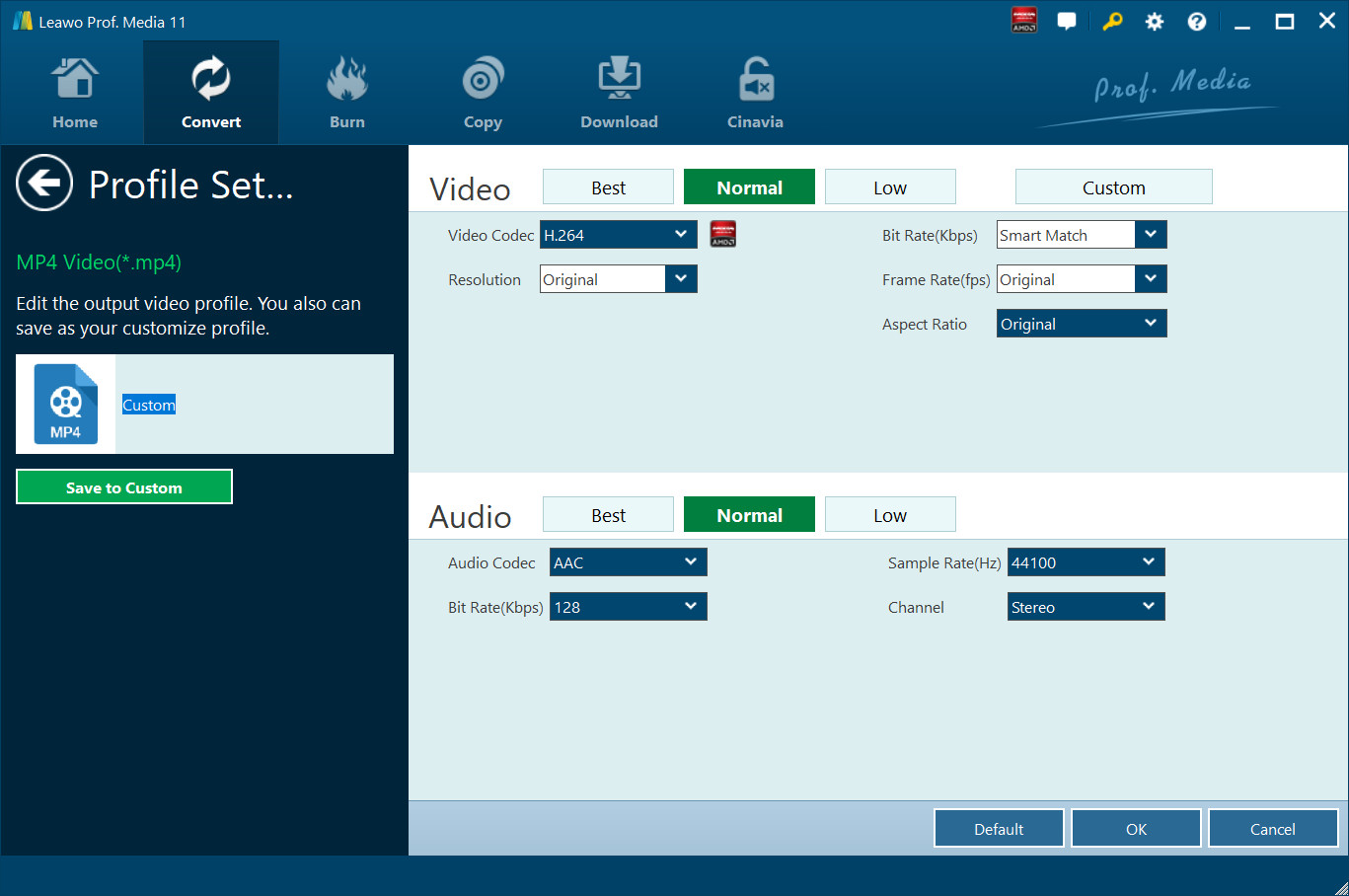
Optional: You can click “MP4 Video > Edit” option or click the edit icon on selected profile to adjust output file parameters for adding to “Custom” group. You could adjust video codec, resolution, bit rate, aspect ratio, frame rate, audio codec, Sample Rate, Channels, etc. And then click the "Save to Custom" button to add to “Custom” group.
Step 3 : Set output directory
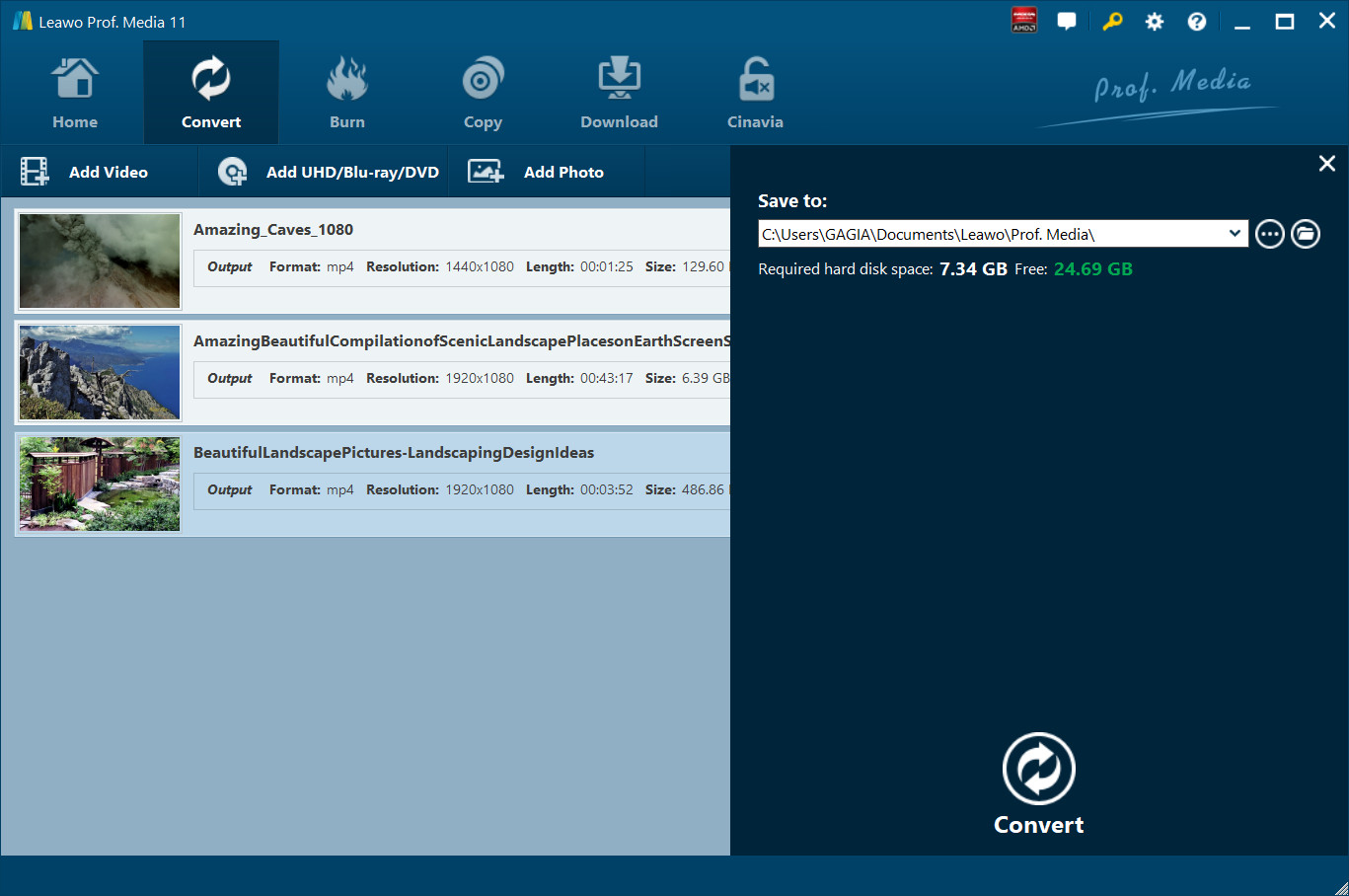
Back on the main interface, click the green "Convert" button. On the popup sidebar, set output directory in the "Save to" box.
Step 4 : Start conversion
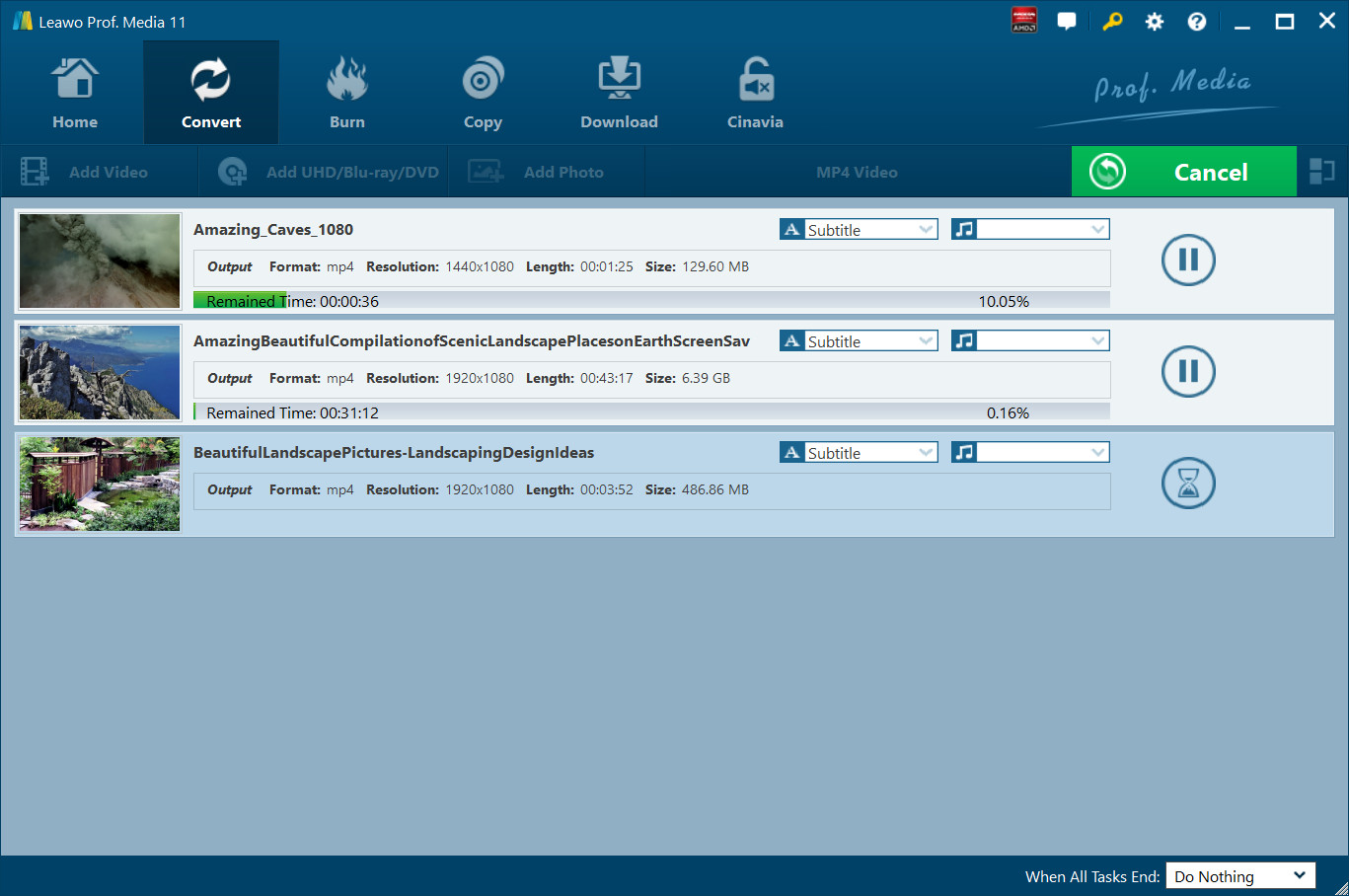
Click the "Convert" button at the bottom of the sidebar to start converting. On the converting interface, you could see all converting progress, pause/restart converting, do after-conversion settings, etc.