Home > Mac Products > Video Converter for Mac
Leawo Video Converter for Mac

Download PowerPC (v1.3.2.6 available)

Get Win Version here

Price: $35.00

Buy Now

HD Ready JVC supportedLeawo Video Converter for Mac

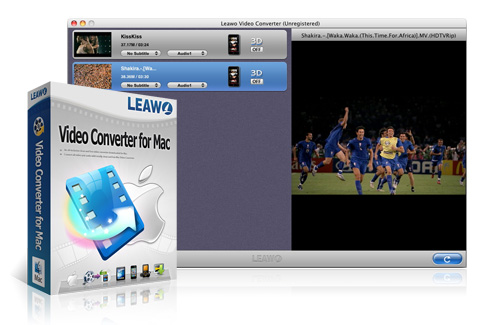
Leawo Video Converter for Mac is an all-inclusive video converter downloaded for Mac that can convert videos and audios among all popular formats to various devices for Mac users, such as MKV to MP4, MKV to AVI, AVI to MP4, FLV to MKV, WMV to MOV, etc.

This multifunctional Video Converter for Mac not only embraces you with practical video and audio setting features such as codec, quality, size, channel, etc. but also provides you with individualized video editing features: trim, crop, rotation, effect and watermark. What's more, this Mac Video Converter could act as 2D to 3D Video Converter to easily convert 2D to 3D movies for ultra 3D movie enjoyment. It is reputed as the best Video Converter for Mac, so you can convert video to MP4 on Mac for video enjoyment on iPod, iPod Touch 4, iPhone, iPhone 4, iPad, iPad 2, PSP, PS3, Apple TV, etc., convert video to AVI on Mac for video appreciation on mobile phones and other compatible devices, and, as a YouTube Video Converter for Mac to convert online FLV videos for extensive sharing. In short, this Video Converter for Mac could fulfill your digital entertainment to watch video anytime anywhere.

Avaliable on the App StoreGet Video Converter from App Store Now

Key Features

Excellent Performance in Convert Video and Audio

Convert video and audio between all popular formats on Mac
This versatile Video Converter for Mac which is capable of converting almost all videos and audios is compatible with both Mac Intel and Mac Power PC. The video and audio file formats it supports are listed as follows: ASF, AVI, DV, VOB, FLV, MOV, MP4, MPG, MPEG, RMVB, WMV, MKV, 3GP, 3G2, M4V, TS, AAC, AC3, AIFF, AMR, M4A, MP2, MP3, OGG, RA, AU, WAV, WMA, MKA, FLAC, etc.
Convert video and audio for various ends
Mac Video Converter supports to convert video and audio for all portable media devices like iPod, iPhone, iPad, iPad 2, Apple TV, PSP, PS3, Wii and DS, Mobile Phones, Android Mobile, BlackBerry, Windows Mobile, Dell Axim, Pocket PC, HP iPAQ, Archos AV500, Archos AV700, iRiver PMP, Zune, Xbox, etc. This smart Video Converter for Mac can convert video on Mac for all Portable media players, so that you can enjoy any videos on the go.
Convert 2D to 3D videos for ultra video enjoyment in 3D effect
This Video Converter for Mac includes advanced ability to convert 2D to 3D for you to fully enjoy your treasured 2D videos in 3D effect. You can freely create 3D movies and then enjoy on your own devices without limitation.

Practical and Useful Video Editing Features

Trim video duration to milliseconds for better enjoyment.
With Leawo Video Converter for Mac, you can get the videos' duration trimmed to milliseconds which not only saves space for your PC and portable players as well as enhance your effective visual enjoyment.
Crop video frame size and extract black margin on Mac for better display.
This Mac Video Converter provides users with more practical functions. It can crop video black margins and the unnecessary part, so that Mac users can have a better video enjoyment on Portable Players like iPod, iPhone, Android Mobile.
Rotate video to a certain angle to achieve the required effect.
You can achieve horizontal flip or vertical flip, and realize to rotate 90° clockwise or rotate to 90° counter clockwise. Then you can revolve the video to the angle according to your demand at will.
Customize video effect to achieve the output file with the best quality.
As a professional multimedia tool, Leawo Video Converter for Mac not only lets you set the favourite brightness and contrast, but also allows you to adjust the saturation. With which you will get a totally new and customized video after conversion.
Add personalized watermark to make it branded for you.
To make your video branded and personalized, you are allowed to add both image watermark and text watermark to the videos. In order to get the best effect, you are also enabled to position the watermark in the most suitable place.

Other User-friendly Functions

Advanced video and audio settings for users
The all-in-one program provides more advanced setting features on video codec, quality, size, bit rate, frame rate, aspect ratio and audio codec, quality, bit rate, sample rate, channels and all of which enable you to get approach to output with high quality.
Supports to manually modify the original length of video files
One of the shinning features of this program is to allow users to revise the original length of video files. If the length displaying is actually not the accurate one, the output video will be an inaccurate one of course. Since this video converter for Mac can intelligently modify the original length of video files, users do not have to worry about the accuracy of the output video.
User-friendly and easy-to-use Video Converter for Mac downloaded.
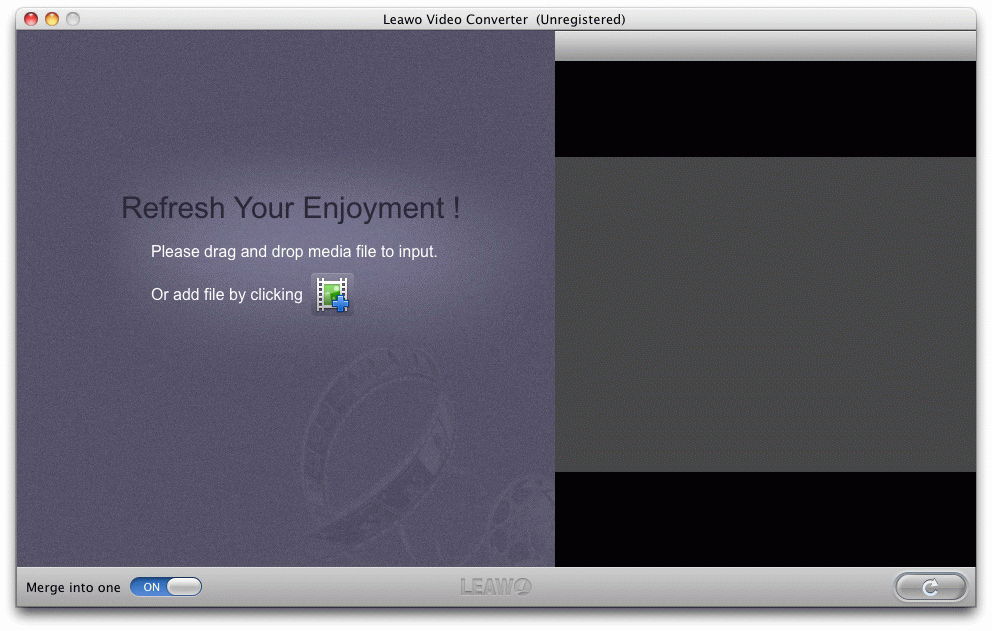
It supports batch video conversion for Mac that can convert multiple videos at a time. With only one click, the output settings for only one source video can be applied to all videos in the file list. In addition, the whole conversion process can be completed within only a few clicks.

  • Screenshots
  • References
  • System Requirements
  • User comments

Output Device Support

iPod, iPod Touch 4, iPhone, iPhone 4, iPad, iPad 2, Apple TV, Apple TV 2,PSP, PS3, Wii and DS, Mobile Phones, Android Mobile, BlackBerry, Windows Mobile, Dell Axim, Pocket PC, HP iPAQ, Archos AV500, Archos AV700, iRiver PMP, Zune, Xbox

Input File Format

ASF, AVI, DV, VOB, FLV, MOV, MP4, MPG, MPEG, RMVB, WMV, MKV, 3GP, 3G2, M4V, TS
AAC, AC3, AIFF, AMR, M4A, MP2, MP3, OGG, RA, AU, WAV, WMA, MKA, FLAC

Output File Format Support

Video

AVI, DV, VOB, FLV, MOV, MP4, MPG, TS, DAT, WMV, MKV, 3GP, 3G2, DPG, XVID

Audio

AAC, AC3, AIFF, M4A, MP2, MP3, OGG, AU, WAV, WMA, MKA, FLAC

Image

JPEG, THM, BMP

Processor: PowerPC G4/G5 or Intel
OS: Mac OS X v10.5/10.6/10.7
RAM: 512MB
Free Hard Disk: 60MB free hard disk space for installation
Graphic Card: Super VGA (800×600) resolution, 16-bit graphics card or higher

Your product is the easiest to use among the others. I find it very comfortable to edit my videos as well. I will be introducing it to my friends. Keep on with the good job!

--- Eric Baker

I had troubles with clipping some AVI videos, and got wonderful solution with your Mac Video Converter just now. I can't help but say thank you very much!

--- Tom Parris

Free Mac Video Converter Related Guide & Tips
Compare EditionsFree Mac Video Converter
Free Mac Video Converter

Free Mac Video Converter

Totally clean and free mac video converter converts all videos.

Download Intel Download Power PC(v1.3.1.2 available)
Related Products
Mac Video Converter
Not only convert videos and audios for Mac among all pop formats, but also can edit videos for better effects.
Free Trial Intel Version Free Trial Power PC Vision

DVD Ripper for Mac
Fast convert DVD to Video on Mac OS with high speed and great quality.
Free Trial Intel Version Free Trial Power PC Vision