Two steps for you to download Google Videos and convert Google videos to AVI freely: download Google video (FLV) first, and then convert Google video to AVI video.
Leawo Free YouTube Downloader is a Free Google Video downloader which can download not only YouTube videos and any FLV videos from Internet like Google Video, but also convert Google Video to AVI or any other popular video files. This Free Google Video downloader, also a Google Video to AVI converter,could act as a very practical and simple browser for you to browse online videos like YouTube vdieos and Google videos for convenient downloading. You can either open video sharing sites to download videos with mouse-click or drag the Google video thumbnails to the program.
The tutorial below will teach you how to download Google video by dragging the video thumbnail to Leawo Free YouTube Downloader and then convert Google videos to AVI videos.
Full Guide

Run Google Video to AVI downloader to download
Launch Leawo Free Google Video to AVI Downloader. Browse Google videos in the browser address and then choose the one you want to download. Carry out the download order after the downloading information window popping out.
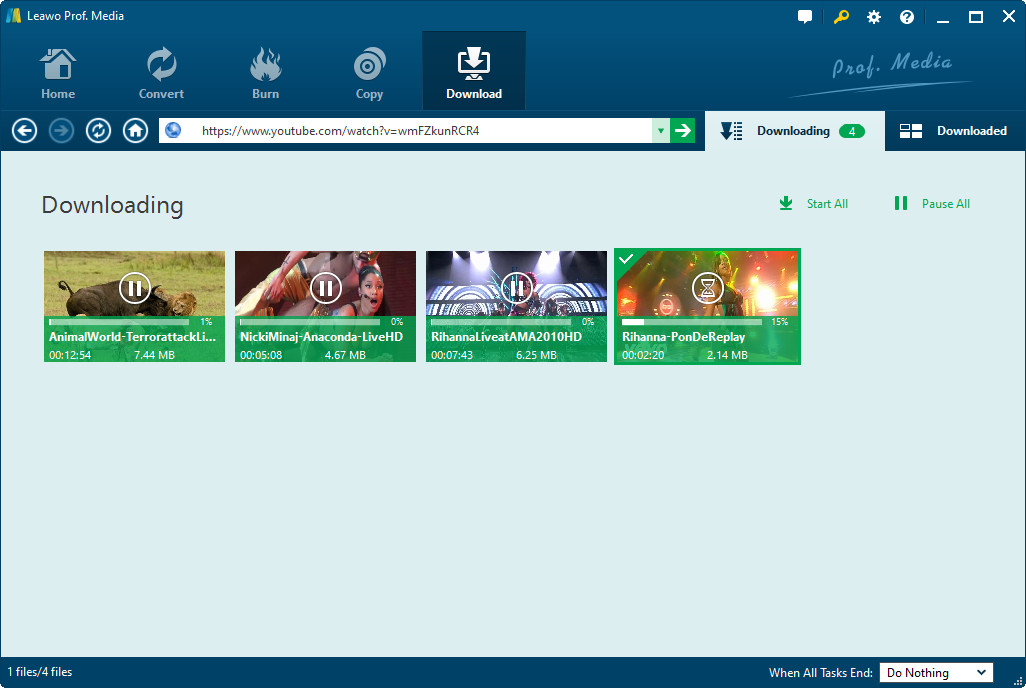
Google Video to AVI conversion settings
Convert Google videos to AVI format. Set the related Google Video to AVI conversion settings, like output profile parameter settings, audio quality, video quality, folder, etc. You can also make a preview of the Google videos you want to download to make sure you download the one you like.

Convert Google Video to AVI
Convert Google Videos to AVI within this Google Video to AVI converter by clicking the convert button after you have made all settings.
Extended Knowledge

Google Videos (originally Google Video) is a video search engine, and formerly a free video sharing website, from Google Inc. Before removing user-uploaded content, the service allowed selected videos to be remotely embedded on other websites and provided the necessary HTML code alongside the media, similar to YouTube. This allowed for websites to host large amounts of video remotely without running into bandwidth or storage capacity issues.
Related Articles
